Turn pull requests into posts and videos worth sharing. How it was built, and why.
A skill for coding agents. It reads a feature's issues, PRs and reviews, and finds the few decisions that shaped it.
npx skills add buildinternet/buildnotesFor Claude Code, Codex and OpenCode
Example 1 of 3 · Sunny, a furniture and space planner
One run, start to finish
Point buildnotes at the pull requests behind one feature, walkthrough videos in Sunny. It wrote the post and cut the video, start to finish:
 point to scroll
A frame from chapter 2. Point at a number.
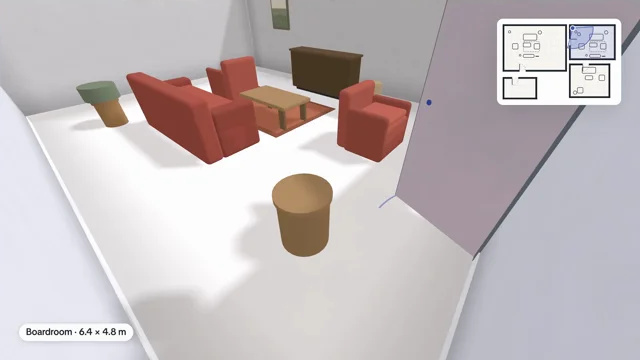
- The shot. Drawn by the same 3D view you see on the page, at 1920 × 1080 and 30 frames a second.
- The mini-map. The floor's plan as a plain line drawing, in the corner away from the caption, at most a quarter of the frame's height.
- The room in shot is tinted, so on a floor tour you can see which room you're in.
- The camera. A dot where it stands and a wedge for what it sees. Both move with every frame.
- The caption names the room and its size.
How it works
Gather
Reads the issues, PRs, commits and reviews.
Plan
Picks the few decisions worth a chapter.
Write and check
Draws the figures, writes it up, and checks it.
What it makes
Ask in plain words, inside the repo. The first word can name the output.
Post
The default: chapters, drawn figures and real code. Use the page as is, or take it to your own site.
/buildnotes post how we built preview linksVideo
The post as a reel that plays itself in under a minute.
/buildnotes video tech explainer of our latest PRTechnical deep dive
For engineers: how it works inside, and the trade-offs.
/buildnotes a technical deep dive on the sync engineRelease story
For users: what's new and how to try it.
/buildnotes a release story for the rate-limit workFigures
Any figure on its own, as an image, GIF, video or SVG.
node scripts/export.mjs post.html --figure 2 --svgDeck not yet
Slides you click through.
What it draws
Drawn from measurements, not sketched.
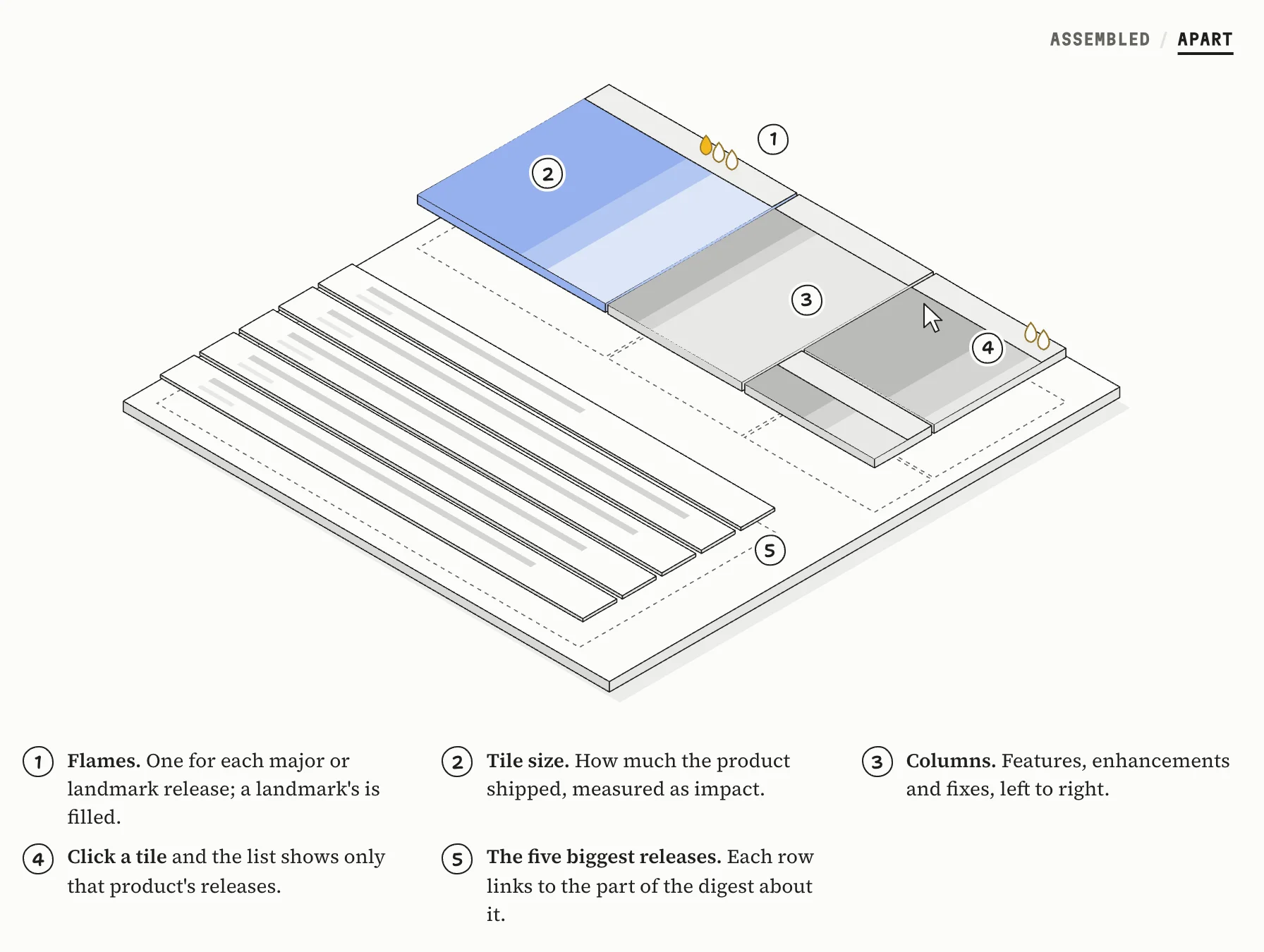
From the weekly digests example. Point at a part to lift it, or take it apart.
- Flames. One for each major or landmark release; a landmark's is filled.
- Tile size. How much the product shipped, measured as impact.
- Columns. Features, enhancements and fixes, left to right.
- Click a tile and the list shows only that product's releases.
- The five biggest releases. Each row links to the part of the digest about it.
| flow · steps | Boxes and routes, with a dot that travels them |
| options · matrix | The choice that was made, and what lost |
| delta · line · bars | A number, and what was measured |
| strip · anatomy | Screens in rounds, or one screen with its parts named |
| term · code | Real output and real code from the repo |
The other two examples
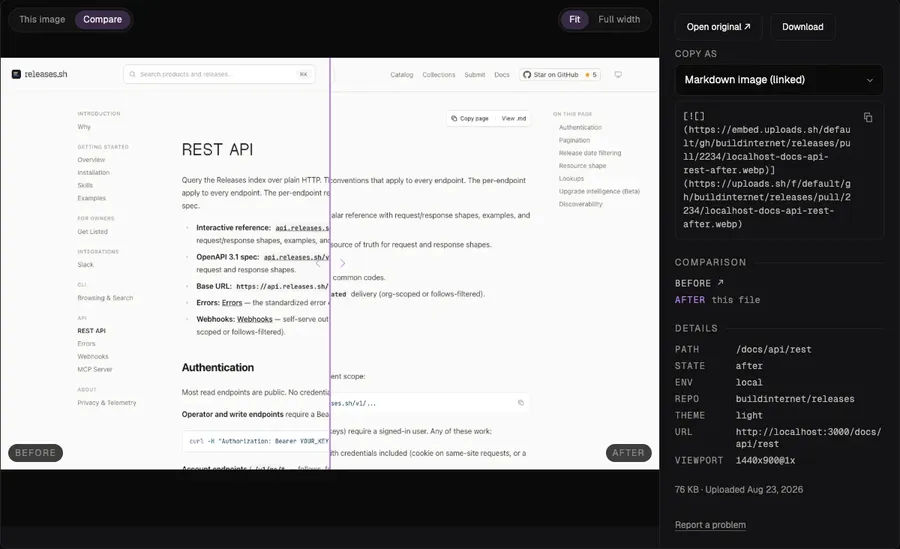
Example 2 of 3 · uploads.sh
Before and after, side by side
Tag two screenshots and the pull request comment shows them in one row.
Example 3 of 3 · Release Notes Index
Weekly digests
A card, a replay and one email a week per reader. Its first figure is the shipped card, taken apart.
Install
Needs Node 22, git and Chrome.
npx skills add buildinternet/buildnotesThen, inside your repo:
/buildnotes write up how we built preview links, from PRs 120, 131 and 140